

All of us are working from home. All family members, including children, need wireless internet access throughout the day. This has put a heavy load on our home wireless internet and I have seen many of my friends complain about the same.
I am writing this post to share how I was able to help myself, and some of my friends, solve the internet issues at home. The solution has three parts to it:
1. Realising and accepting that it’s not your ISP’s fault
Your ISP is not responsible for your wireless internet experience in every room of your house and for every user (including the ever growing IoT -Internet of Things – devices that you have been buying). You may think that everything was working prior to your 100% WFH decision but you need to understand that things have changed and the same setup is not going to work.
First, let’s understand wireless routers. They are usually given by your ISP or the ones that we usually buy from the market. They serve four functions:
- Route traffic
- Assign IP to different devices
- Provide Wifi
- Enable a firewall
The home wifi routers, that we normally have, do all the functions above, but to average levels. Most (that cost less than 5k) do not excel in any one of the functions above. In the WFH world the heavy and consistent loading leads them to falter.
2. You will have to invest in better WIFI gadgets
I wish there was a way out but you will have to buy some new gadgets.
3. You will have to embrace some bit of technology to make this happen
- No need to be a geek but you will need to understand and apply some tech concepts to make this happen.
My two preferred solutions are described below. ‘Which solution to choose’ shall depend on your comfort with technology. My suggestion:
- If you love experimenting with technology and gadgets, you should go ahead with Solution 1. This will give you a robust WIFI with full control over it.
- If you are not comfortable playing with gadgets, straight away jump to Solution 2. You will get a good WIFI solution, which is easy to setup, kind of plug and play. You will still be able to control most aspects of your WIFI but not to same extent as whats possible in solution 1. WIFI Speed will be the same.
SOLUTION 1: Buy affordable enterprise class wired router and Access Points (wifi devices). (My favourite solution these days; a bit tedious to setup though. Cost – INR 25,000 – 45,000)
SOLUTION 2: Buy consumer grade MESH technology based wifi routers. (Not my preferred solution but easier to setup, and good WIFI; cost INR 9,000 – 45,000). You can read more about MESH technology.
I learn about new products and change my preferences often. My preferred solution these days involves using products from two product offerings by a company called Ubiquiti- (a) Unifi and (b) EdgeMax.
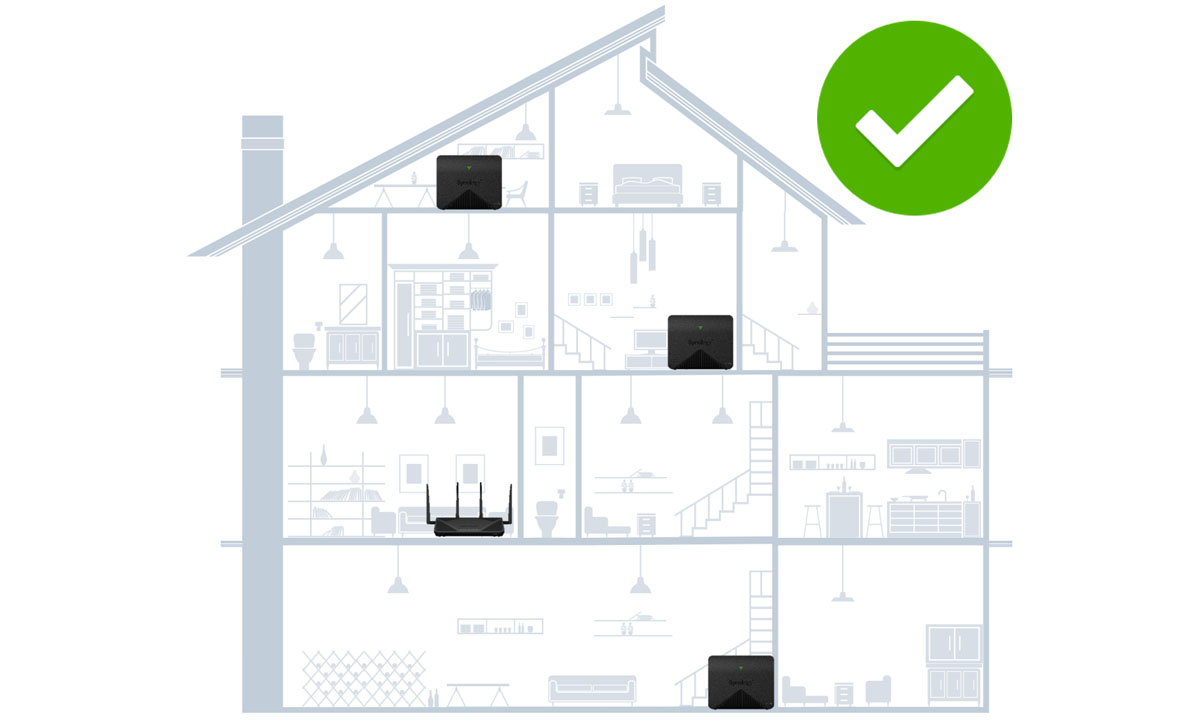
This solution will require standalone wireless systems which work using the MESH technology for wifi. In India, these are available from companies like Tp-Link (most affordable and my preferred vendor for this price range), Linksys, Google, Netgear etc.
A MESH wireless system usually has 2 or more devices, which wirelessly talk to each other, to increase the range of your wifi. You need not have wires running to every room of your house. This can replace your existing router or connect to your existing router (basis your preference). Normally, I suggest that you do not remove your existing router (given by your ISP) as your ISP client support team will otherwise struggle if, and when, you ever have internet issues.
Number of mesh devices required will depend on the size of your house. A two device MESH system usually covers 2,000 sq ft.